

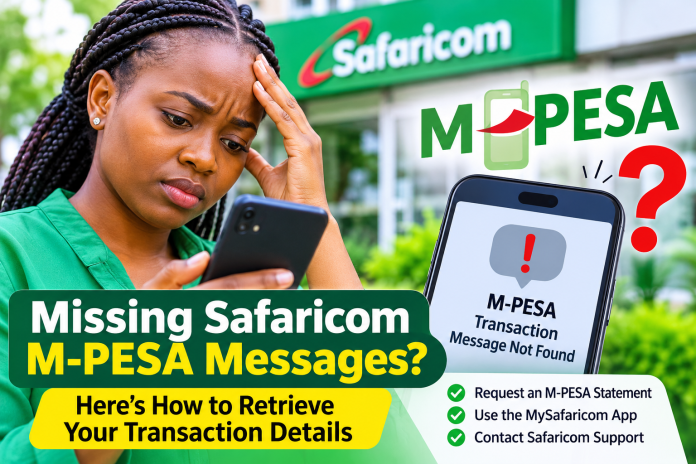
Missing Safaricom M-PESA Messages: What You Need to Know
Missing Safaricom M-PESA messages can be frustrating, particularly when you need to confirm a payment, verify money received, provide proof of a transaction or reconcile your financial records.
For millions of Kenyans who rely on M-PESA for daily financial transactions, SMS confirmations provide an important record of money sent, money received, withdrawals, deposits, bill payments and purchases.
However, M-PESA confirmation messages can sometimes disappear from a phone’s inbox, be accidentally deleted, fail to arrive or become difficult to retrieve when a user changes handsets or SIM cards.

The good news is that losing an M-PESA confirmation SMS does not necessarily mean losing access to the transaction information. Safaricom provides several ways for customers to check their transaction history and access M-PESA records.
Safaricom reports Sh58.2 billion half-year profit as M-Pesa revenue hits Sh100 billion
Why Are Safaricom M-PESA Messages Missing?
There are several reasons why M-PESA confirmation messages may fail to appear on a customer’s phone.
1. SMS Messages Are Automatically Filtered as Spam
One of the issues previously highlighted by Safaricom involved Android users whose phones were using third-party messaging applications.
In February 2024, Safaricom explained that some third-party SMS applications were incorrectly identifying Safaricom and M-PESA messages as spam and blocking them.
The company advised affected customers to:
- Open their phone’s messaging application.
- Navigate to the Spam and Blocked folder.
- Search for messages from Safaricom or M-PESA.
- Unblock the messages to allow subsequent confirmations to appear in the main inbox.
- Consider switching to the phone’s default SMS application.
This is particularly important for customers who have installed alternative messaging applications on their Android devices.
2. Accidental Deletion of M-PESA Messages
Customers may accidentally delete M-PESA confirmation SMS messages when clearing their inboxes, freeing up phone storage or deleting old conversations.
Once deleted, a message may not be recoverable through the phone’s normal messaging application unless the device has a backup or recently deleted messages feature.
However, customers can still access transaction information through Safaricom’s M-PESA statement service.
3. Phone or SIM Card Changes
Changing a handset, replacing a SIM card or transferring a mobile number to another device can affect access to previously received SMS messages.
While M-PESA transactions remain recorded in the service provider’s transaction records, old messages stored locally on a previous handset may not automatically transfer to a new device.
4. Phone Storage and Messaging Application Problems
A phone with limited storage, a malfunctioning messaging application or incorrect SMS settings may experience problems receiving or displaying confirmation messages.
Customers should check their available storage, restart their phones and ensure their messaging applications are functioning properly.
5. Blocked Safaricom Sender Messages
Some smartphones allow users to block specific numbers or message senders. If Safaricom messages have been blocked, transaction notifications may be diverted to a blocked folder or fail to appear in the normal inbox.
Customers should review their messaging settings and unblock Safaricom messages where necessary.
M-PESA hits 40 million customers as it marks 19 years of financial inclusion
How to Retrieve Missing M-PESA Messages in Kenya
Although retrieving the exact deleted SMS may not always be possible, Safaricom customers can obtain transaction information through the following methods.
1. Request an M-PESA Mini Statement
Customers who want to confirm their recent transactions can request an M-PESA mini statement.
The mini statement provides a summary of recent transactions and is useful when a customer needs to establish whether money was sent, received or withdrawn.
Customers can access their M-PESA account menu using the USSD service and follow the M-PESA statement instructions.
2. Download a Full M-PESA Statement
For customers who have lost several M-PESA messages, requesting a full statement is one of the most useful alternatives.
A full M-PESA statement provides a transaction record for a selected period, making it easier to trace payments and receipts.
To request one:
- Dial *334# using your Safaricom line.
- Select My Account.
- Choose M-PESA Statement.
- Follow the instructions to request a full statement.
- Select the period you want covered.
- Provide your email address and complete the required verification.
Safaricom sends the statement to the email address provided. Customers should also check their spam or junk folders if the email does not arrive in their main inbox.
3. Use the MySafaricom App
Customers with smartphones can also use the MySafaricom App to access their M-PESA transaction records.
The statement feature allows users to view payments, money received, money sent and other recent transactions.
The app also provides an option to request statements covering different periods and receive them through email.
4. Contact Safaricom Customer Care
If the missing messages persist, customers can contact Safaricom for assistance, particularly where the issue involves missing transaction confirmations or discrepancies in their M-PESA accounts.
The available customer support channels include:
- 100: Prepaid customer care.
- 200: Postpaid customer care.
- 234: M-PESA support.
- Email: [email protected].
- X (Twitter): @Safaricom_Care.
- Physical support: Visit a Safaricom retail shop.
Customers should provide relevant transaction details, including the approximate date, amount and transaction type, without disclosing their M-PESA PIN.
Safaricom launches Fuliza Ya Pochi for small businesses
Can Safaricom Recover Deleted M-PESA Messages?
One important distinction is that recovering an M-PESA transaction record is not necessarily the same as recovering the original SMS.
A deleted confirmation message may not be restored directly to the phone’s inbox. However, the transaction details can still be accessed through an M-PESA statement or by contacting Safaricom customer care.
Customers who require an official record for business accounting, legal proceedings or financial verification should request the appropriate M-PESA statement and seek assistance from Safaricom where additional verification is required.
How to Prevent M-PESA Messages from Disappearing
Customers can take several precautions to avoid losing important transaction confirmations:
- Avoid deleting M-PESA confirmation messages when clearing old SMS conversations.
- Regularly back up important messages where the phone supports SMS backups.
- Check the Spam and Blocked folders whenever M-PESA notifications fail to appear.
- Use the default messaging application where third-party applications incorrectly filter Safaricom messages.
- Request regular M-PESA statements for financial record-keeping.
- Keep the phone’s operating system and messaging applications updated.
- Never share M-PESA PINs or verification codes with anyone claiming to help retrieve lost messages.
Frequently Asked Questions About Missing M-PESA Messages
How do I recover deleted M-PESA messages?
Check whether your phone has a recently deleted messages folder or an SMS backup. Alternatively, request an M-PESA statement through *334# or the MySafaricom App to retrieve the transaction information.
Why am I not receiving M-PESA confirmation messages?
Possible reasons include SMS filtering, blocked senders, phone storage problems, messaging application errors or network-related issues.
Can I get my M-PESA transaction history without confirmation SMS messages?
Yes. You can request a mini statement or full M-PESA statement through Safaricom’s self-service channels.
How do I get an M-PESA statement on my phone?
Dial *334#, select My Account, choose M-PESA Statement and follow the instructions to request a statement through your email address.
What should I do if M-PESA messages are going to spam?
Open your messaging application’s Spam and Blocked folders, locate Safaricom messages and unblock the sender.
Financial transaction records are not lost
Missing Safaricom M-PESA messages do not necessarily mean that customers have lost access to their financial transaction records. Through the M-PESA statement service, MySafaricom App and customer care channels, users can obtain information about transactions even when the original confirmation SMS is unavailable.
For individuals and businesses that depend on M-PESA for daily payments, maintaining regular transaction records and ensuring that Safaricom messages are not blocked can help prevent unnecessary financial record-keeping challenges.