
As digital technology continues to reshape how Kenyans manage their finances, convenience has become an increasingly important part of everyday transactions.
My OneApp is helping meet this demand by bringing a range of financial services together on a single digital platform, enabling customers to carry out transactions without the need to navigate multiple channels.
From managing day-to-day financial needs to accessing a growing range of financial services, the app is designed to make transactions faster and more convenient.
Customers can access services from their mobile devices, reducing the time and effort traditionally associated with routine financial transactions.
Beyond everyday payments and money management, My OneApp is also expanding the ways customers can participate in Kenya’s financial markets.
The platform provides access to investment products that allow users to put their money to work, bringing investment opportunities closer to ordinary consumers through a familiar digital environment.
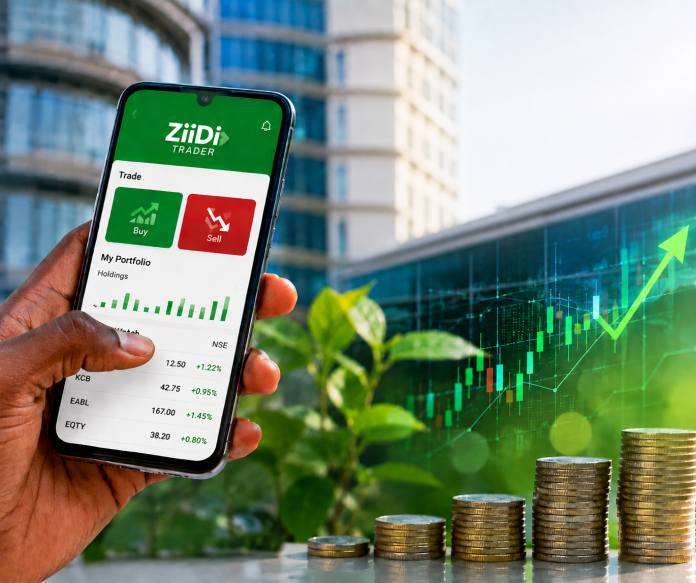
Among the investment options available is ZiiDi Trader, a service that enables eligible M-PESA customers to buy and sell shares listed on the Nairobi Securities Exchange (NSE) directly from the My OneApp.
ZiiDi Trader allows customers to trade NSE-listed shares electronically, with transactions executed in real time during market hours.
Trading is available from 9:30 am to 3 pm, Monday to Friday, in line with the operating hours of the stock market.
The service is available to M-PESA customers aged 18 and above who have completed the required onboarding and verification processes.
One of the features designed to simplify the trading process is that customers do not need to open an individual Central Depository and Settlement Corporation (CDSC) account before trading.
Instead, trades are executed through an omnibus account operated by a licensed broker. This structure removes one of the potential barriers for first-time investors and allows customers to access the equities market through an existing digital financial platform.
Getting started with ZiiDi Trader
Activating the service is completed within the My OneApp. To get started, customers are required to select Financial Services, choose ZiiDi Trader, accept the applicable terms and conditions, and complete account verification and the required risk acknowledgement.
Activation is then confirmed using the customer’s M-PESA PIN, after which a confirmation notification is sent.
Once activated, customers can access the ZiiDi Trader mini-app and select the Trade option to begin buying or selling shares.
For a purchase, an investor selects the security they wish to acquire, chooses the “Buy” option and enters the desired price and number of shares.
The transaction details are then reviewed before the customer proceeds to confirm the purchase using their M-PESA PIN.
The entry point for investors is also relatively low. Customers can purchase as little as one share, with the amount payable depending on the prevailing price of the selected security and the applicable transaction charges.
Selling shares follows a similar digital process. The customer selects the security from the Trade section, chooses “Sell”, enters the price and quantity, reviews the transaction and confirms it using their M-PESA PIN.
According to Safaricom, once a customer’s shares have been successfully sold under Ziidi Trader, the proceeds are credited to their M-PESA account by the end of the same day. The service charges a 1.5 per cent commission on trades.
There is also no stated limit on the number or total value of shares a customer can hold in their ZiiDi Trader portfolio, allowing investors to build their holdings according to their individual investment objectives and available resources.
For customers who choose to discontinue using ZiiDi Trader, the process can also be initiated within the service by selecting Account, choosing Opt Out, and confirming with an M-PESA PIN.
Customers who still hold securities must first consent to having those securities sold at the best available market price. Once the proceeds have been credited to their M-PESA account, they can complete the opt-out process.
Also Read: The accidental upgrade that changed how I use Safaricom services